Fix Uneven Audio in YouTube Music Videos: Normalize Sound Levels
I normalize sound using the Chrome extension Channel groups and rating. Once you install this extension, a Normalize Sound button will appear for short videos. Just click it, and the sound quality will improve.
For regular videos, the process is slightly different:
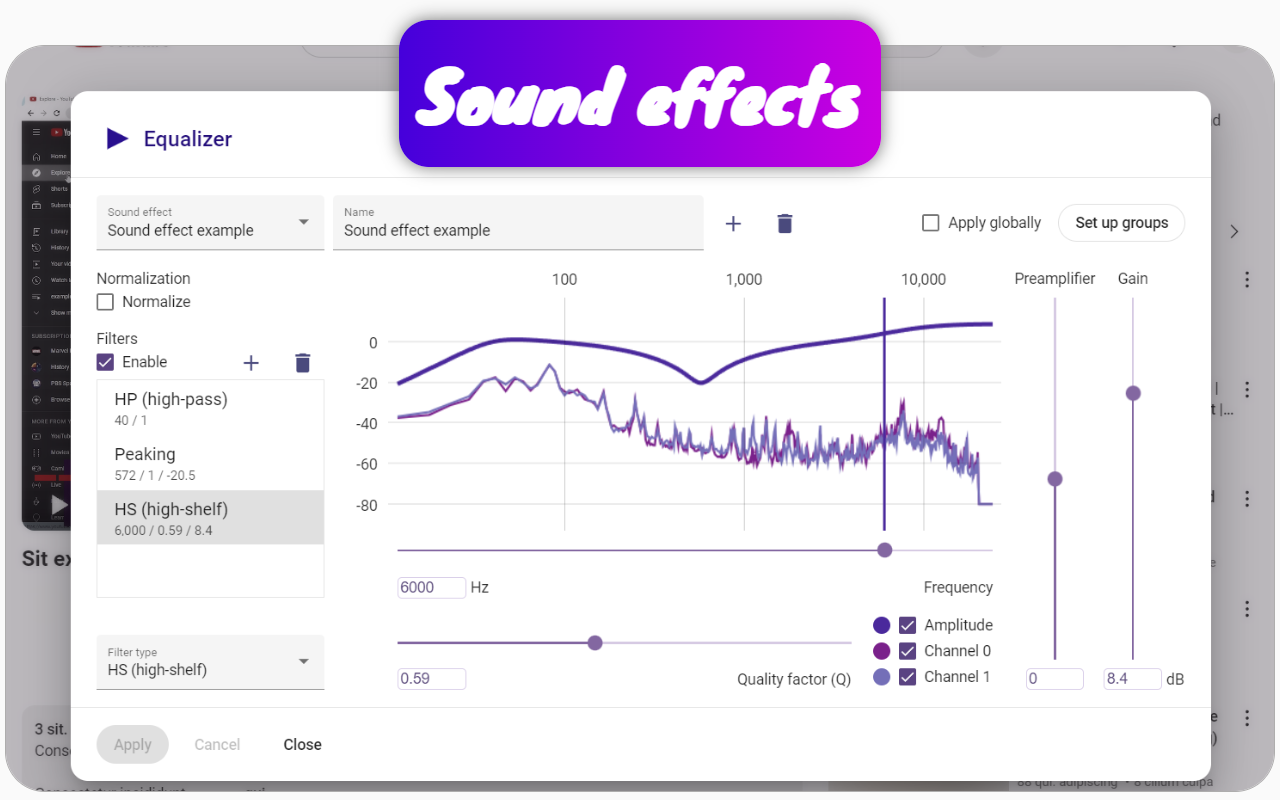
- Open the Equalizer modal by clicking the Equalizer button on the video page.
- Check the Normalize box in the Equalizer modal.
- Select the Apply Globally checkbox.
- Click Apply.
This will ensure that sounds are at the same volume level, not only across different videos but also within a single video.
Sometimes, conversations in videos can be hard to hear due to obstructions, and standard volume adjustments may not help. This extension allows you to hear very quiet sounds more clearly, making conversations behind barriers much more intelligible.
You can also choose specific channels for sound normalization or disable normalization for others. To do this, create a group using the extension and link that group to the desired audio effect in the equalizer. Group normalization takes precedence over global settings.
For music channels, I disable normalization to preserve the artist's original sound. Additionally, the extension allows for boosting specific frequency ranges in the equalizer for music videos.
If you reinstall your browser and had synchronization enabled with Google Drive in this extension, you can restore your audio effect settings, including sound normalization for regular videos.