How do I organize my YouTube subscriptions into groups or categories?
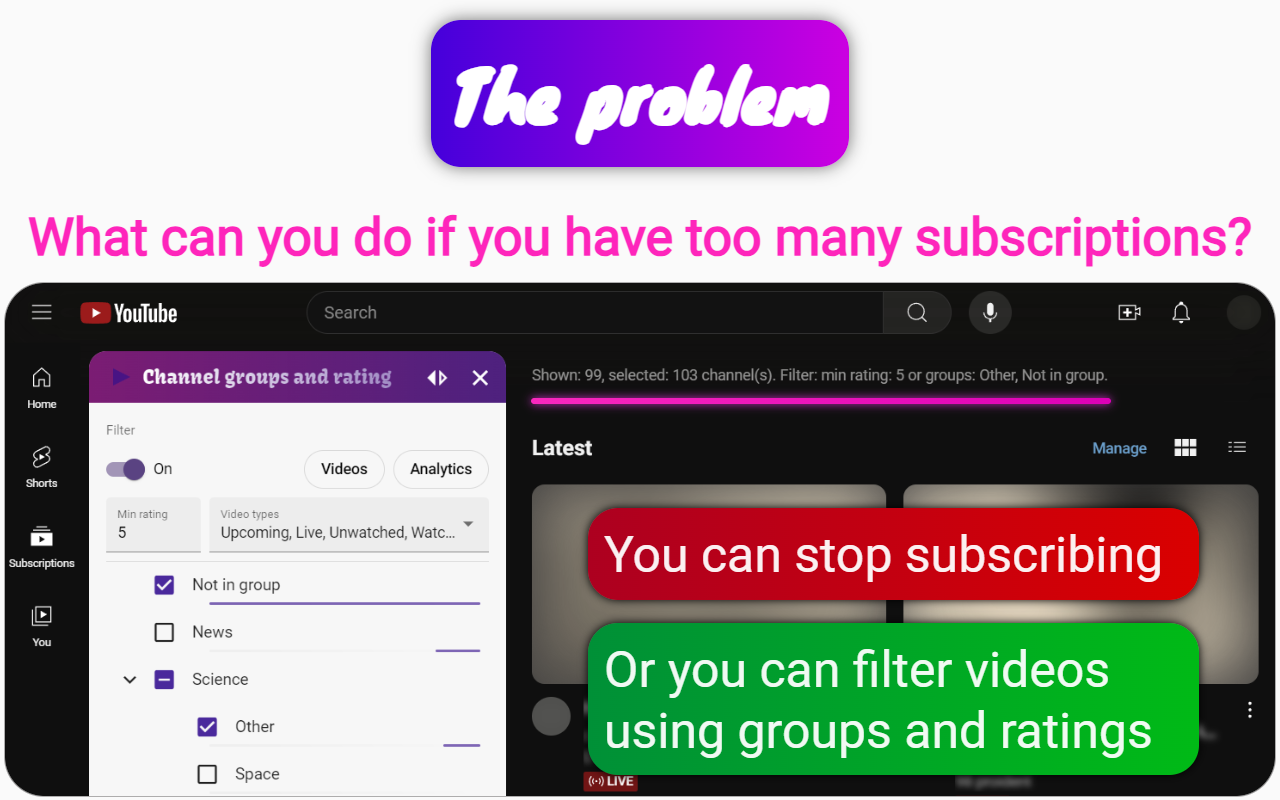
When we want to organize files, we want to put them in a folder and a subfolder, so under the organization we will represent the creation of groups for YouTube channels, with the ability to filter by them. Groups can be nested in other groups just like folders.
In this case, there are 3 approaches to organizing YouTube subscriptions:
-
Using the RSS feed of the YouTube channel.
Flaw:
- you can only see the latest 15 items in the YouTube RSS feed, which is very few. -
Using brand YouTube accounts.
Flaw:
- you cannot create a complex hierarchy;
- you cannot combine several topics;
- you have to reload the whole page to change the group, which takes time. -
Using the browser extension Channel groups and rating.
There are no downsides.
Bonus:
- you can collect YouTube comments in the channel dossier, which will allow you to know exactly why you subscribed to the channel or unsubscribed from it;
- you can organize channels by rating, which allows you to limit the list of videos with one button, this is useful when you want to know the most important things and save time on watching.
This Channel groups and rating extension enhances your YouTube subscription management by enabling you to create nested groups for channels, filter videos by type and rating, and keep track of your reasons for subscribing through comment collection. It provides a seamless way to organize and prioritize your YouTube content efficiently.