How to Use YouTube Efficiently with Channel Groups & Rating
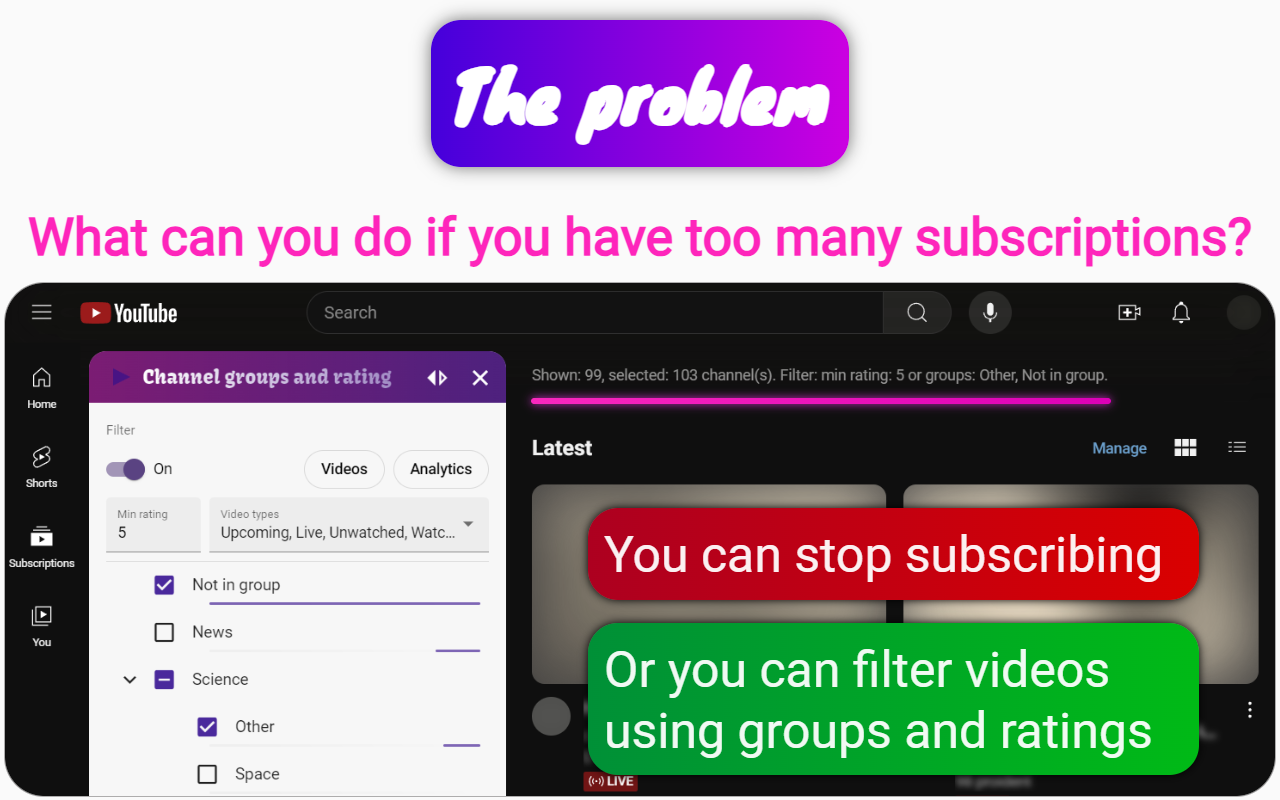
To spend time efficiently on YouTube, the Channel groups and rating extension provides a variety of features designed to enhance your viewing experience and help you manage your subscriptions effectively. Here’s how you can utilize this extension to optimize your time:
Key Features for Efficient YouTube Use
1. Channel Grouping and Filtering
Organize Subscriptions: Create groups for your channels, allowing you to categorize them based on your interests. This hierarchical structure helps you quickly locate the content you want to watch.
Video Filters: Filter videos by type (watched, premieres, shorts, etc.), rating, and channel groups. This allows you to focus on the most relevant content without sifting through unnecessary videos.
2. Skip Uninteresting Parts
Skip Video Start: Set the extension to skip a specified number of seconds at the beginning of videos. This feature is particularly useful for avoiding ads or uninteresting introductions, allowing you to start watching from the most engaging parts of the video.
3. Playback Speed Control
Change Playback Speed: Adjust the playback speed of videos to watch them faster. This can significantly reduce the time spent on content, enabling you to consume more information in less time.
4. Personal Rating System
Rate Channels: Assign personal ratings to YouTube channels, which helps you filter subscriptions based on your preferences. You can prioritize channels with higher ratings and skip those with lower ratings based on your available time.
5. Audio Normalization
Volume Normalization: The extension automatically adjusts the volume across different videos, eliminating the need for manual adjustments. This feature saves time and ensures a consistent audio experience, especially useful when switching between videos with varying volume levels.
6. Analytics and Insights
Track Viewing Habits: Analyze your time spent on different channels, broken down by days of the week and time of day. This insight helps you understand your viewing patterns and make informed choices about what to watch next.
Activity Information: Get detailed insights on each channel, including time spent, percentage of views, and last viewed moment, allowing you to prioritize your viewing based on what you enjoy most.
7. Playlist Creation for Short Videos
Combine Videos into Playlists: Easily create playlists from filtered videos, allowing you to watch multiple videos in succession without interruptions. This feature is particularly useful for quickly consuming short videos.
Conclusion: By utilizing the Channel groups and rating extension, you can streamline your YouTube experience, focus on content that truly interests you, and ultimately save time while enjoying your favorite videos. The combination of organizational tools, playback speed control, audio normalization, and analytics makes it a valuable asset for any YouTube user looking to optimize their viewing habits. With features like skipping video starts and a personal rating system, you can efficiently manage your time and maximize your enjoyment on the platform.