What are the best tools for managing YouTube subscriptions?
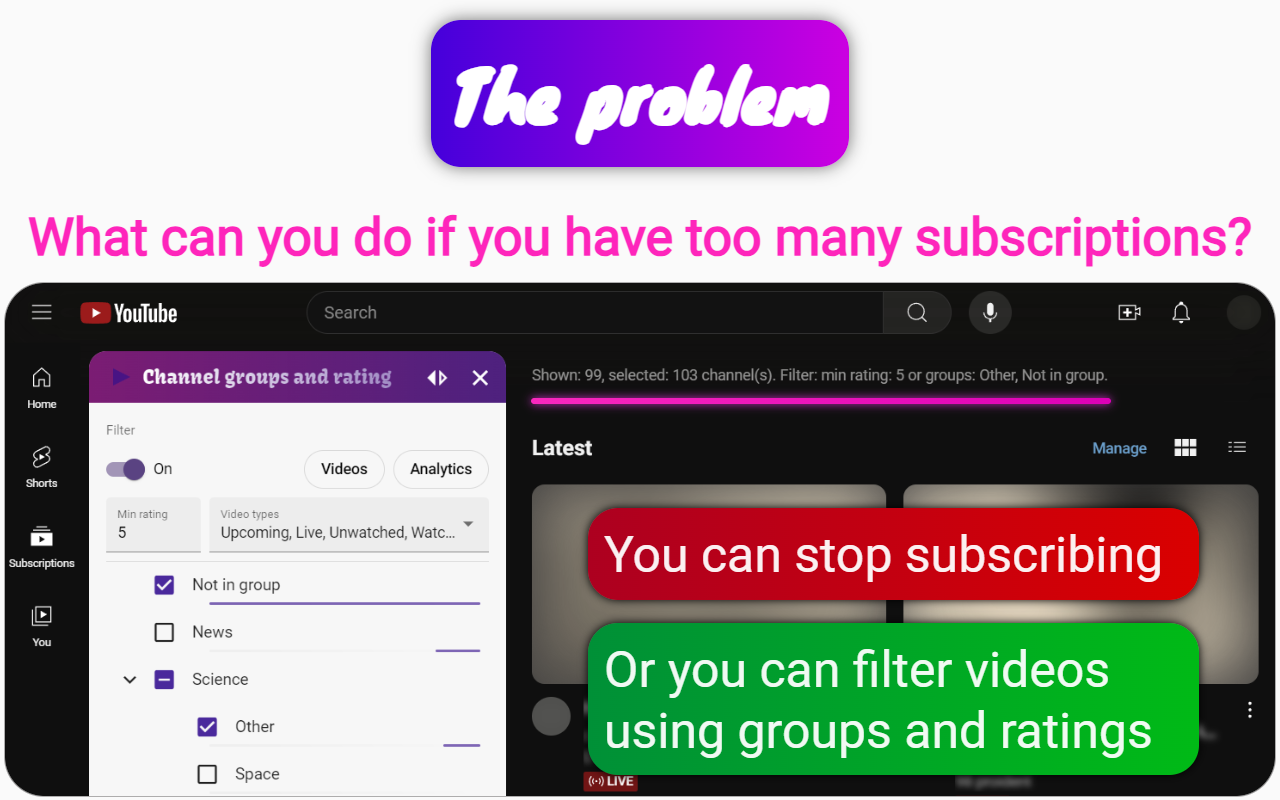
Channel groups and rating is a Chrome extension designed to enhance the management of YouTube subscriptions and improve user experience on the platform. Here are some of its key features that make it one of the best tools for managing subscriptions on YouTube:
Grouping and Filtering
- Channel Grouping: Users can create groups for YouTube channels, allowing for better organization and easier access to preferred content.
- Video Filtering: Filter videos by type (watched, premieres, shorts), rating, and channel groups to quickly find desired content.
Video Management
- Video Blocking: Block videos using filters such as keywords in titles or channel names to avoid unwanted content.
- Playlist Creation: Create playlists from filtered videos for seamless viewing of selected content.
Analytics and Insights
- Viewing Analytics: Gain insights into viewing habits, including time spent on channels and videos.
- Channel Activity Tracking: See detailed activity like number of videos watched and last viewed moments per channel.
Audio and Video Enhancements
- Audio Effects: Includes an equalizer and sound effects to enhance audio experience.
- Playback Control: Adjust playback speed, skip sections, and replace audio or video for specific channels.
Synchronization and Exporting
- Google Drive Synchronization: Sync all settings and filters across devices.
- Data Export: Export video filters, analytics, and channel ratings to Excel for further analysis.
Overall, the Channel groups and rating extension offers a comprehensive set of tools for effectively managing YouTube subscriptions. By organizing channels, filtering content, tracking viewing habits, and enhancing audio-visual experience, it serves as a powerful tool for optimizing time spent on YouTube and similar social media platforms.