Why Are Some YouTube Videos Quiet? How to Increase Volume
YouTube provides an opportunity for many specialists to earn money, but not all of them are skilled in producing quality sound. Some creators may not even intend to create content for a broader audience. While some users record videos as personal keepsakes, others use YouTube to broadcast to a select few rather than seeking views from the general public.
Many users are unaware of what the video access settings mean, which can lead to their videos being visible to anyone searching on YouTube. To enhance audio levels, Chrome extensions like Channel groups and rating can be utilized.
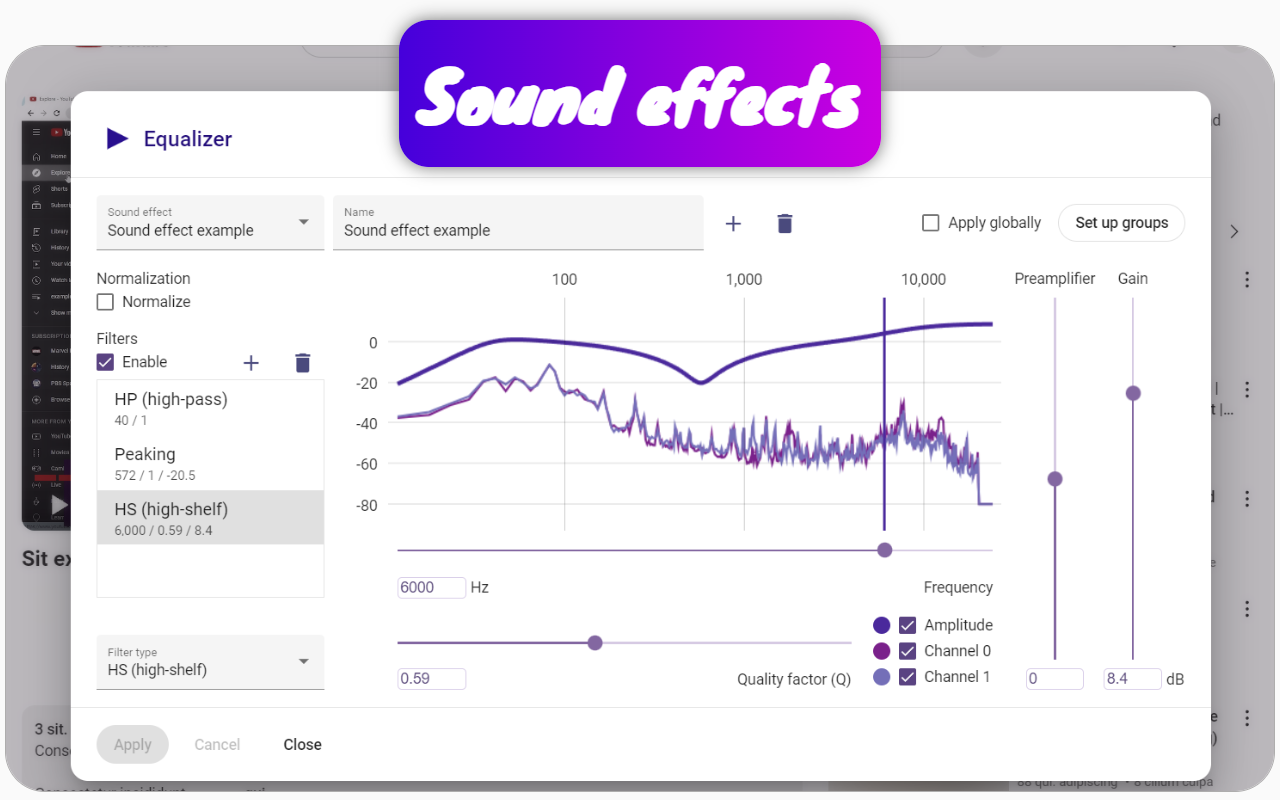
With these tools, users can either automatically normalize sound to 60 decibels (which is a 1000 times increase) by checking the "Normalize" box or manually boost the volume using the volume level feature. It's possible to add up to 40 decibels (a 100 times increase) using a sound preamplifier, and even more through equalizer filters, exceeding 40 decibels.
Normalization is beneficial even when sound fluctuates rapidly, as it allows for clearer conversations with distant speakers, and videos featuring cats become particularly enjoyable with distinct purring after normalization.
These settings can be applied globally to all videos on YouTube by selecting the "Apply Globally" checkbox and clicking apply. If different audio settings are needed for specific channels, users can create a group within the extension and assign the desired audio settings to that group.